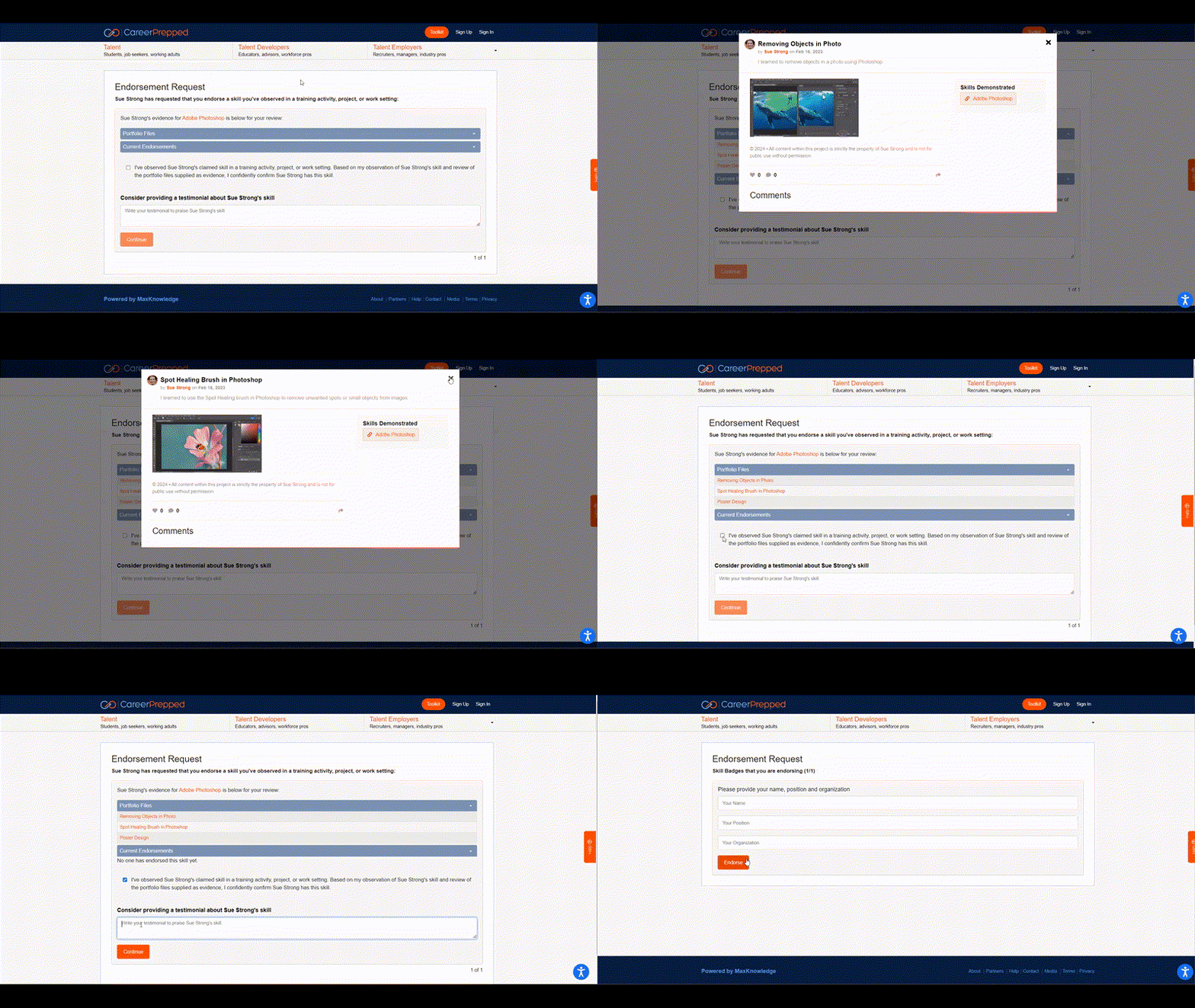
CareerPrepped makes endorsing students and providing testimonials for their claimed skills easy and precise. Here's a step-by-step guide for our different admin users.
Method 1: Admin-Initiated Endorsement (This method only applies to Admins & Group Admins of CareerPrepped's Organizational account. Admins with an "Educator Account" [limited features] can use Method 2 further below.)
Sign in to CareerPrepped.com
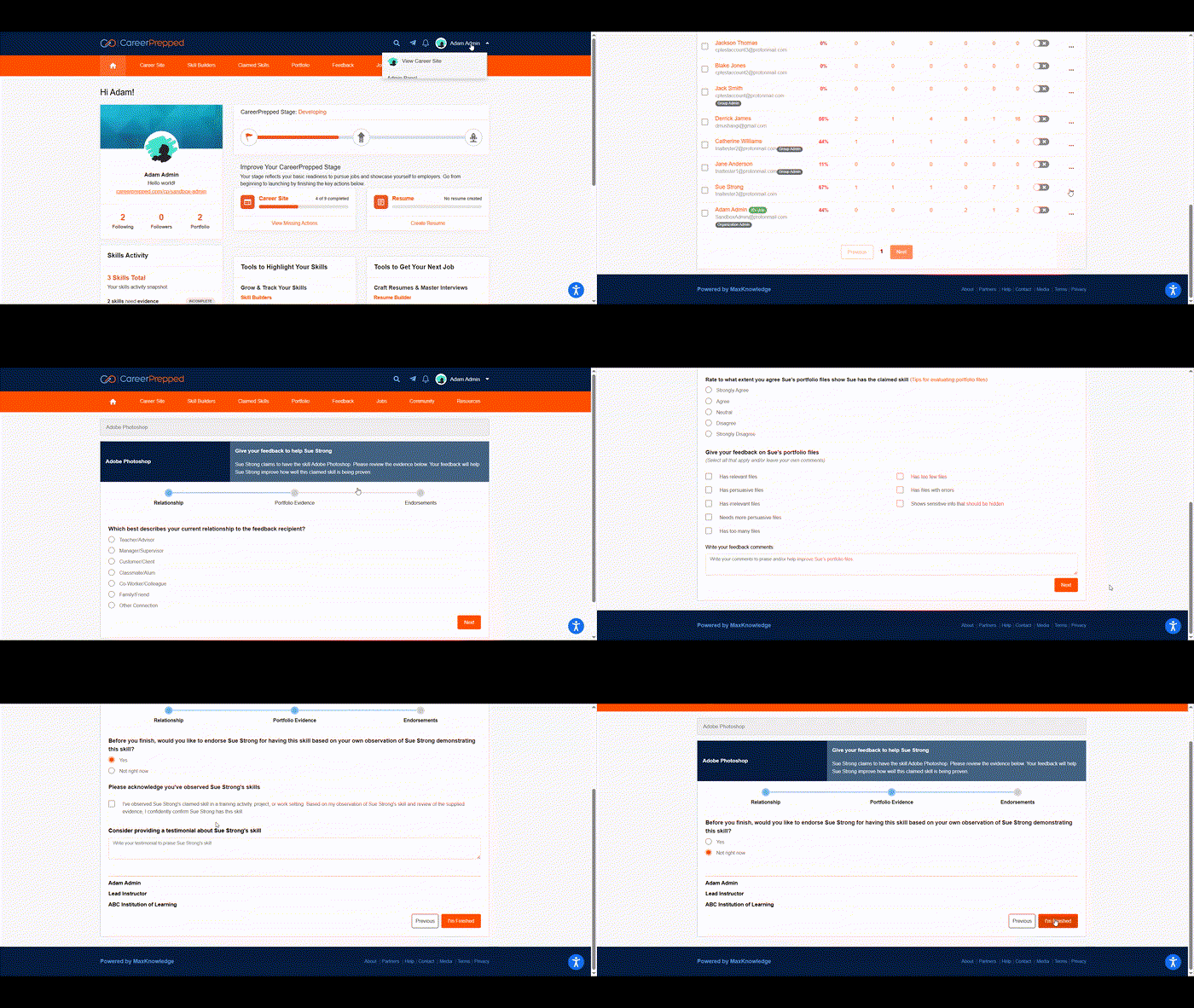
Click on your avatar in the upper right corner to reveal the dropdown navigation. Select "Admin Panel."
Find the learner in your user table for whom you want to provide feedback.
Click the orange "Actions" button corresponding to the learner in the user table. Choose "Give Feedback."
Pick the claimed skill you want to review and provide feedback on.
Respond to all questions in the review process.
Click "I'm Finished." The last question will ask if you want to endorse the student. Click "Yes" to provide an endorsement and written testimonial. Click "No" to provide feedback without an endorsement.
Method 2: Student-Initiated Endorsement (This method applies to Admins & Group Admins of our Organizational account as well as our "Educator Account.")
Instruct students to request your endorsement using the "request endorsement" feature. Here's the help article on how to seek endorsements and testimonials. When they send a request via email, you must check your email and click the link to endorse the skill. You can review the evidence and complete the steps which includes asking if you would like to provide a testimonial. See steps below in the animated GIF.
This method has the following benefits:
Encourages them to take ownership: Continuously seeking social proof of one's abilities is a career management skill of which students must learn to take ownership.
Reinforces responsibility: Emphasize to students that they should actively seek endorsements throughout their lifelong career journey to build credibility. Reinforce the importance of third-party validation from trusted sources.
Teaches students the steps for requesting endorsements: Guide them through the steps of using the "request endorsement" feature.
Responding to an emailed request for endorsement (After clicking your emailed link)